
FILMETRIX F40: Thin film thickness measurement system
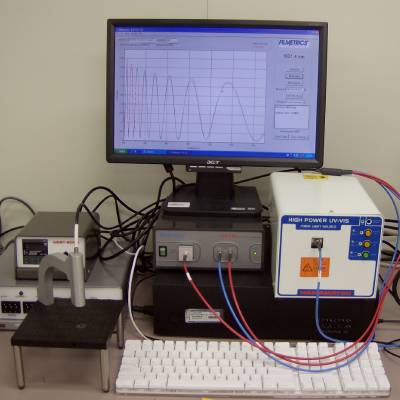
Description
This instrument is used to measure the thickness of transparent and semi-transparent thin films via reflection or transmission spectroscopy. Films as thin as a few tens of nm can be measured when the UV light is turned on. An SOP will be coming soon.
Raw Spectrum Data
Submitted by Lukas.Chrostowski on Wed, 25/02/2009 – 11:08am.
Here is how to save the raw data from the spectrum measurement. This is useful if you want to use it as a spectrum analyzer, or to do your own signal processing separately (e.g. transmission measurements):
- From setup menu select “data acquisition”
- In the data acquisition interface window uncheck both ‘subtract dark’ and ‘use reference’ and then select ‘apply’
- Place your sample on the stage
- From the ‘acquire’ menu select ‘do single acquisition’
- If you see flat top on the spectrum that means you got too much light to the detector. Lower the integration time in the ‘data acquisition’ window (step 1) – you have to uncheck ‘auto integration’ first before put in a lower integration time
- If you get a good spectrum you can use the ‘file’ menu to ‘save measured spectrum” into a text file (list of wavelength and raw reflectance, raw data directly from the detector).
- You can open this file and load it back to the FILMeasure s/w or open it with Excel to look at the reflectance values.
Note: you should calibrate the instrument with an appropriate substrate material before taking your sample measurements.