
Neutronix-Quintel NxQ4006: 100mm mask aligner (currently single side)
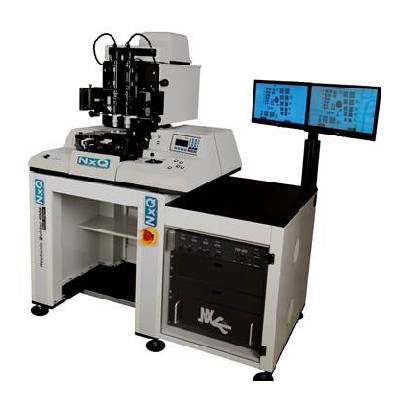
Standard operating procedure Rev 01, 10/17 (beta version)
Author(s)
Rev. 01: Mario Beaudoin
Contents
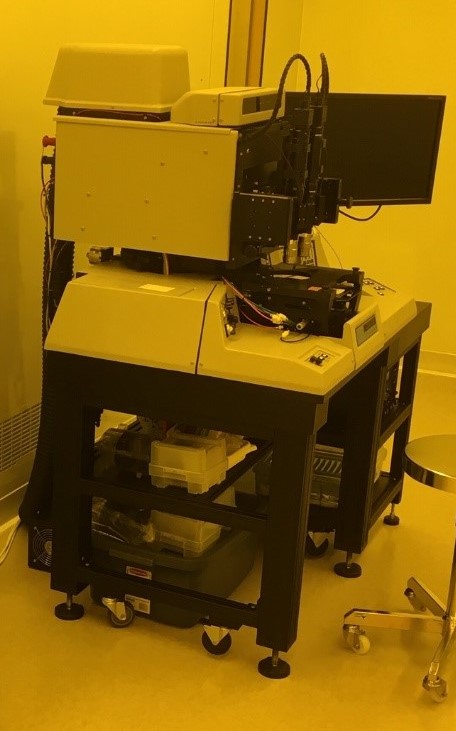
This mask aligner is a mostly manual system that accepts pieces as small as 7x7mm and wafers up to 100mm diameter. It accepts mask plates 5″x5″ (125x125mm) with the main mask holder but has a holder that can accept mask plates as small as 3″x3″ (75x75mm). Its optics delivers both 365nm and 405nm light. It is very easy to use for alignment. Although expandable to allow double-side alignment, it does not currently have the adapter to allow it.
Reference
NxQ Q4006 Operation Manual 4 08-10-16
Operation
DO NOT USE WITHOUT TRAINING
Be aware of UV radiation
Be aware of electrical hazards and ozone generation
- Open N2 valve – unit will not come on without sufficient nitrogen
- Turn ON main power switch
- Turn ON the monitor
- Turn ON the lamp power supply (main switch on RHS of PS box)
- Fire the lamp (big momentary switch on LHS of PS box)
- The power should slowly ramp up until is stabilizes at around 300W
- Fit the proper mask holder, place the mask on it and press VACUUM MASK button
- Pull out the wafer tray all the way (make sure the chuck is down)
- Load your wafer only use the plastic tweezers tied to the aligner to place your wafer on the chuck
- When the wafer is properly placed, push the wafer tray forward slowly – the vacuum will catch the wafer
- Push the wafer tray slowly all the way in
- Press LOAD
- Perform the alignment if necessary
- Push contact to bring the wafer in contact with the mask
- Set the exposure time as required by your process using the touchpad and menu on the RHS of the aligner
- Push EXPOSE
- When the exposure has completed, the wafer will lower itself and the wafer tray can be pulled all the way out
- Pick up your wafer using the plastic tweezers
Shutting down
The nitrogen has to keep on flowing for at least 10 minutes after turning off the arc lamp to allow the fan to cool it properly.
- DO NOT TURN OFF THE MACHINE IMMEDIATELY
- Turn the lamp off by switching off the main switch on the lamp power supply
- Immediately turn the switch back on to allow the cooling fan to run (obviously, do not fire the lamp at this point)
- Wait until the air coming out of the cooling fan has reached room temperature (takes roughly 10 min)
- Switch off the lamp power supply
- Turn the aligner off by choosing 6 from the keypad
- Turn off the nitrogen gas switch